Reseña de CapCut
Generación de vídeo IAFree AI video editing app from TikTok. Packed with auto captions, effects, and templates.
Veredicto del editor
CapCut obtiene una valoración de 4.3/5 como una de las opciones más competentes del ámbito de generación de vídeo ia. Su punto fuerte destacado —core features are completely free— resulta especialmente valioso cuando esa capacidad es la más relevante para tu flujo de trabajo. La principal contrapartida es limited advanced editing for professionals, que conviene sopesar frente a las alternativas antes de decidirse. Como el plan gratuito permite validar el ajuste sin riesgo, probarlo primero tiene muy poca desventaja.
Índice de contenidos
¿Qué es CapCut?
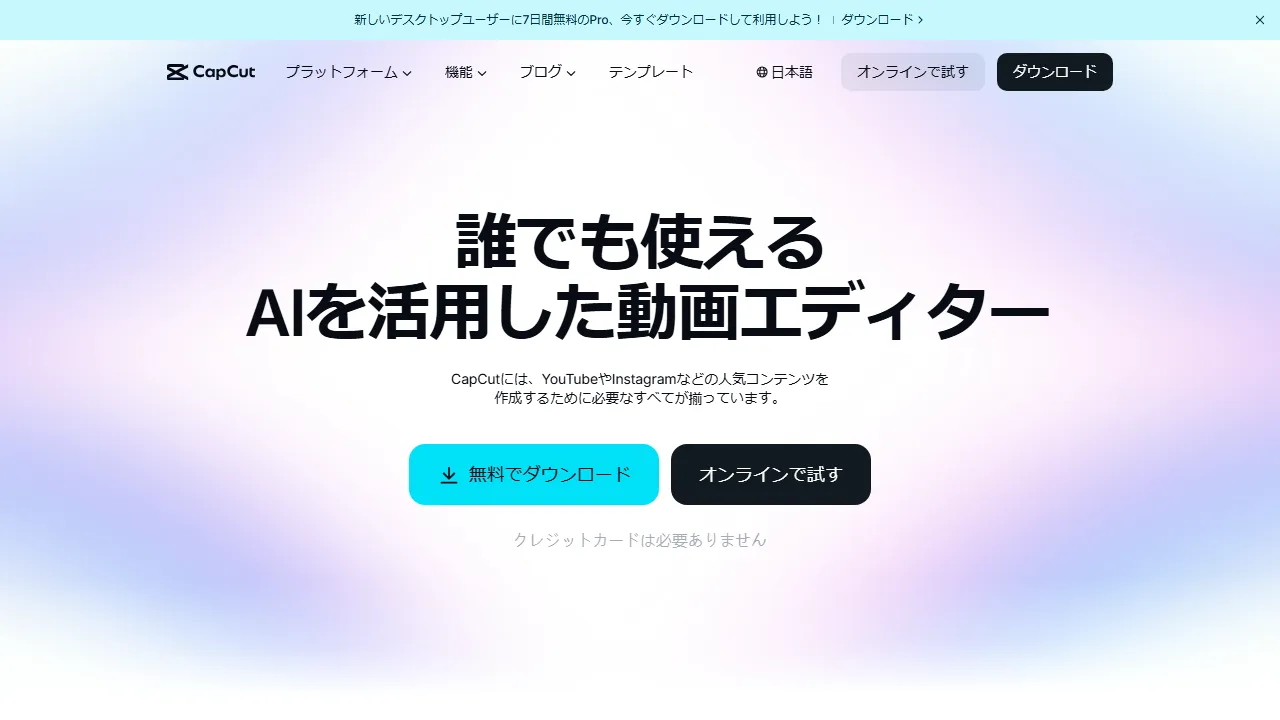
CapCut is a free video editing app provided by ByteDance (TikTok's parent company). It features AI-powered auto subtitles, background removal, style transfer, and text-to-speech, streamlining video creation for social media. With a rich library of effects, transitions, and music available for free, it is widely used by beginners and professionals alike.
¿Para quién es CapCut?
CapCut es ideal para creadores de vídeo, profesionales de marketing y responsables de redes sociales que necesitan producir contenido audiovisual atractivo a gran escala. Su plan gratuito reduce la barrera de entrada y facilita la evaluación antes de comprometerse. La amplitud de funciones (6+) —incluidas AI subtitle generation y Background removal— hace que rara vez necesites cambiar a otra herramienta para tareas relacionadas. Los usuarios destacan con frecuencia un punto fuerte concreto: core features are completely free.
Planes de precios y relación calidad-precio
CapCut ofrece los siguientes planes. Los precios reflejan la información más reciente disponible en el momento de la reseña y pueden cambiar; confírmelos siempre en el sitio oficial antes de comprar.
Funciones y capacidades clave
Esto es lo que CapCut aporta, ordenado de forma aproximada según lo central que es cada capacidad en la experiencia del producto.
Pros y contras
Tras evaluar CapCut frente al resto del ámbito de generación de vídeo ia, estas son las contrapartidas que destacaron en el uso diario.
Lo que nos gustó
- ●Core features are completely free
- ●Extensive effects and templates
- ●Intuitive interface
Lo que se puede mejorar
- ●Limited advanced editing for professionals
- ●Concerns about ByteDance's data policy
- ●Desktop version can be unstable
Cómo empezar con CapCut
Una ruta práctica de cinco pasos que recomendamos a cualquier persona que evalúe CapCut por primera vez, diseñada para minimizar el tiempo perdido y ayudarle a decidir rápido.
1Regístrate en CapCut
Accede al sitio oficial de CapCut y crea una cuenta. Puedes empezar con el plan gratuito sin introducir datos de pago, lo que resulta ideal para comprobar cómo encaja en tu flujo de trabajo.
2Configura tu espacio de trabajo
Instala la aplicación en web si hay un cliente nativo disponible, o simplemente ábrela en tu navegador. Configura preferencias básicas como idioma, notificaciones y estilo de salida por defecto para que las siguientes sesiones resulten consistentes.
3Realiza tu primera tarea con AI subtitle generation
Empieza con una tarea pequeña y de bajo riesgo para entender cómo responde CapCut. Redacta una instrucción clara, revisa la salida e itera. Esta exploración con poco riesgo es la forma más rápida de intuir en qué destaca la herramienta.
4Intégrala en tu flujo de trabajo diario
Cuando conozcas sus puntos fuertes, incorpora CapCut a un único flujo de trabajo concreto, no a diez. Sustituye un paso existente y mide el tiempo ahorrado o la calidad ganada durante una semana antes de ampliar su uso.
5Actualiza el plan según el uso real
En lugar de actualizar el plan por adelantado, observa qué límites alcanzas realmente (número de mensajes, longitud de salida, funciones de exportación). Actualiza solo cuando un límite concreto bloquee tu productividad, no porque el plan superior parezca más atractivo sobre el papel.
Mejores alternativas a CapCut
¿No está seguro de que CapCut sea lo más adecuado? Estas herramientas comparables del ámbito de generación de vídeo ia merecen consideración según sus prioridades.
Runway ML
Plataforma de generación y edición de vídeo con IA para creadores. Genera vídeo de alta calidad a partir de texto e imágenes, transformando el flujo de producción cinematográfica.
Ofrece una valoración editorial comparable con un precio más elevado. Ideal si buscas generación de vídeo de alta calidad con gen-3 alpha.
HeyGen
Easily create AI avatar videos. A video production tool for marketing and education.
Ofrece una valoración editorial comparable con un precio más elevado. Ideal si buscas realistic ai avatars.
Descript
An AI tool that lets you edit video and podcasts as easily as editing text.
Ofrece una valoración editorial comparable con un precio más elevado. Ideal si buscas edit video like editing text.
Preguntas frecuentes
Is CapCut really free?+
Yes, basic editing features, effects, and templates are free. Some features like 4K export are available through the Pro plan.
Can I use it for commercial purposes?+
Yes, videos created with CapCut can be used commercially. However, you should check the licensing terms for music and other assets.
¿Listo para probar CapCut?
Empiece con el plan gratuito, sin necesidad de tarjeta de crédito.
Comenzar con CapCut →Más herramientas de Generación de vídeo IA
Sora
Un modelo de generación de vídeo IA desarrollado por OpenAI. Genera vídeos realistas de hasta 1 minuto a partir de indicaciones de texto.
Runway ML
Plataforma de generación y edición de vídeo con IA para creadores. Genera vídeo de alta calidad a partir de texto e imágenes, transformando el flujo de producción cinematográfica.
Synthesia
Plataforma de generación de vídeo con avatares IA. Simplemente ingresa texto y un avatar IA realista narra y genera automáticamente un vídeo.
Pika
Generate AI videos from text or images. An easy-to-use tool for creating short-form videos.
Kling AI
A high-quality AI video generation tool developed by China's Kuaishou. Supports long-form, high-resolution video.
HeyGen
Easily create AI avatar videos. A video production tool for marketing and education.
Revisado por: Equipo editorial de AIpedia · Última actualización: 10 de julio de 2026 · Metodología: Cómo evaluamos y puntuamos
Esta reseña refleja nuestra opinión editorial basada en pruebas prácticas, verificación de precios y cotejo con la documentación oficial. No aceptamos pagos a cambio de reseñas favorables. Consulte nuestra política editorial completa.